Built where steel, radius and site pressure meet

Crane operations, field records and visual planning tools for company-managed teams.

VisualQuip helps authorised crane teams access equipment records, capture field evidence, and use visual planning tools from the field — while keeping safety decisions with competent people, approved procedures and certified data.

01Site-true visualsCrane position, radius, obstructions, access and exclusion zones in one reviewable scene.
02Modular platformPlanner, AR, equipment library and inspections stay clear, sellable and accountable.
03Operator-mindedDesigned around real conversations between planners, operators, supervisors and asset teams.
Crane PlannerPipeline BuilderAsset WorkshopCrane Model Library3D Equipment LibraryAR ReviewInspection EvidenceAsset RegisterVisual Method PacksSafety BoundariesOperator Credibility

Operator-grade evidence

Built around the work teams actually do.

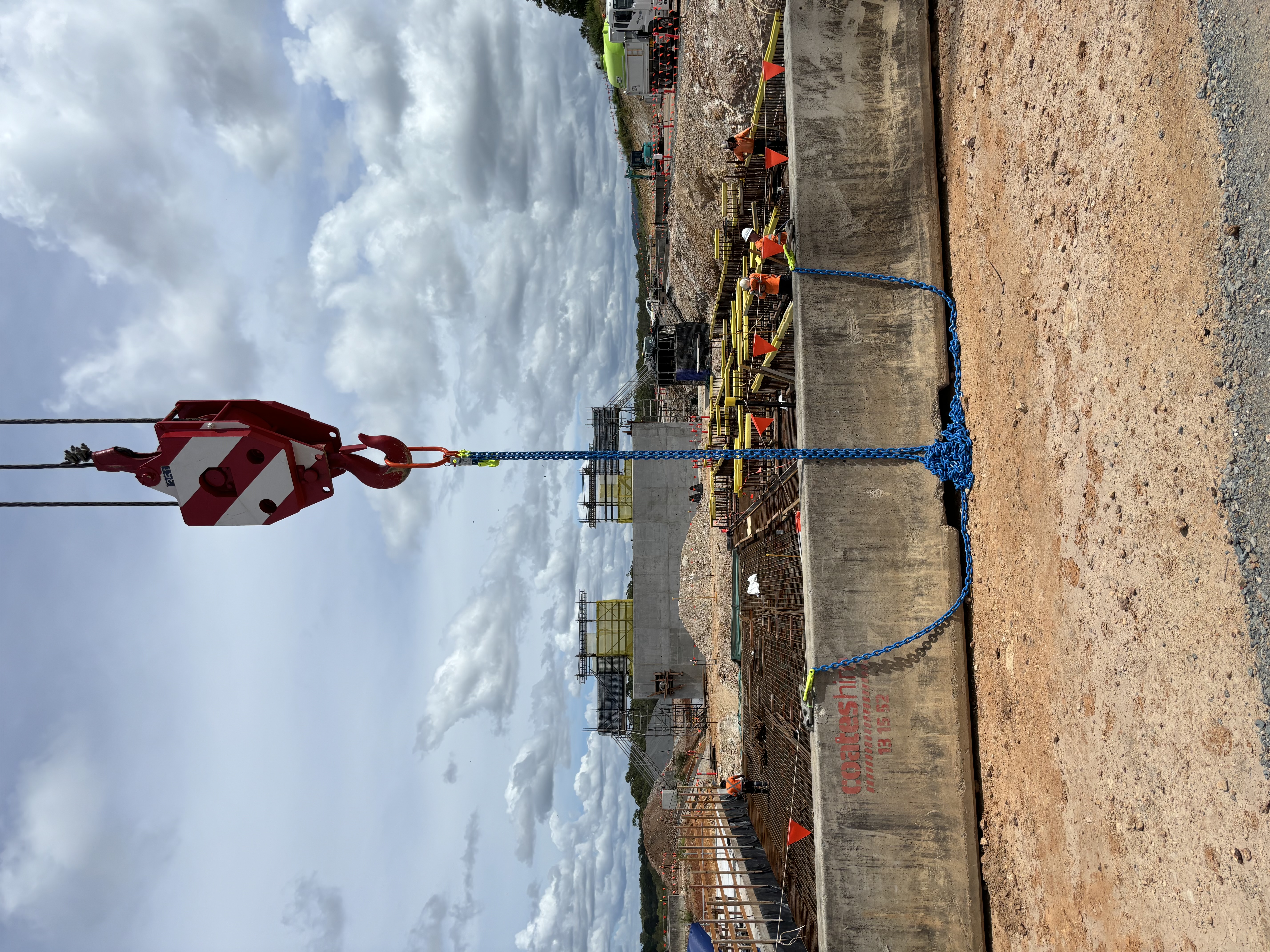
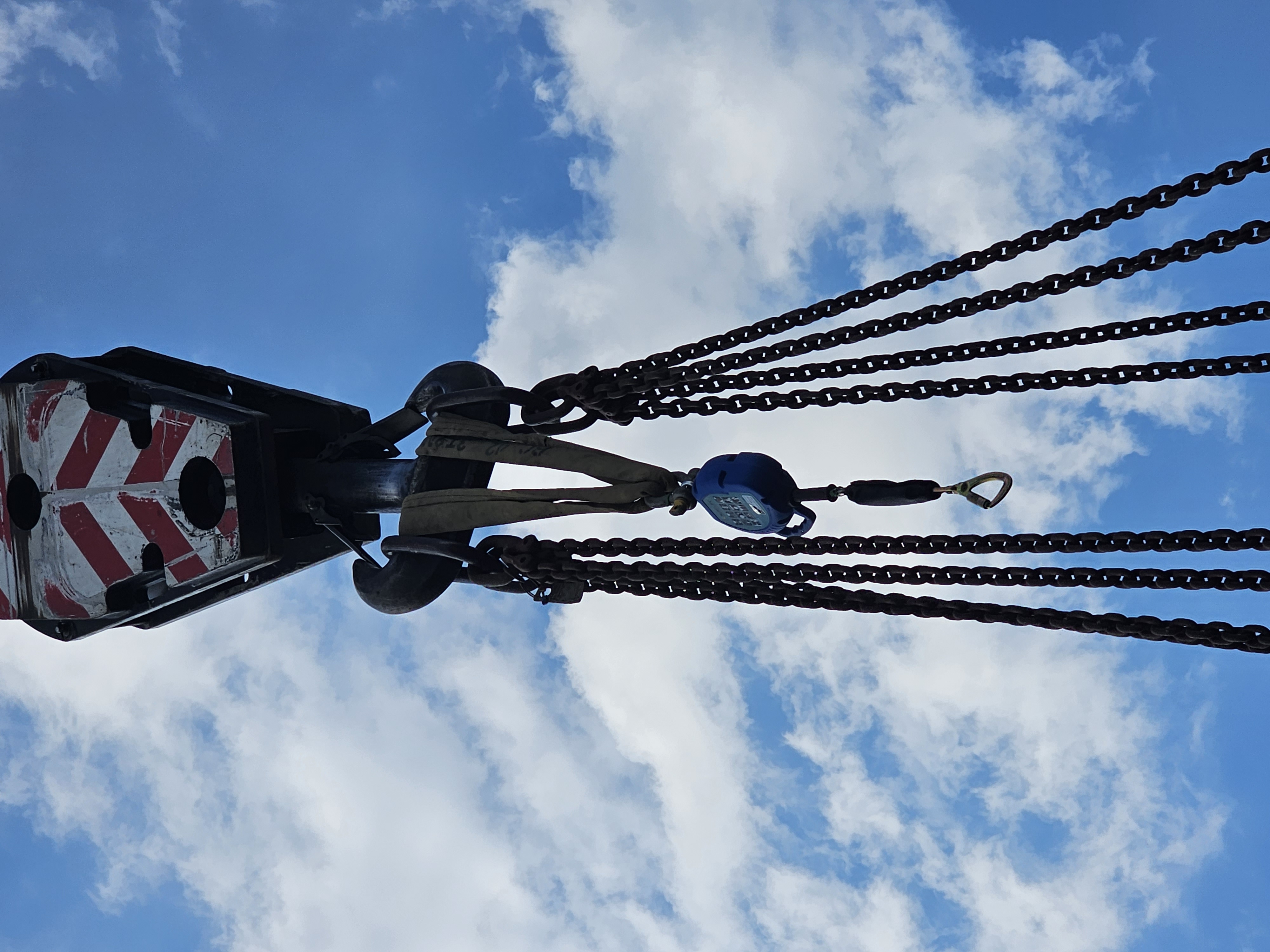
VisualQuip is grounded in practical lifting environments: hook blocks, chains, shackles, site conditions and crane model viewports. The result is a product story based on recognisable site context, not generic marketing imagery.

Construction site lift area with hook block, chains and formwork visible
Site lift context
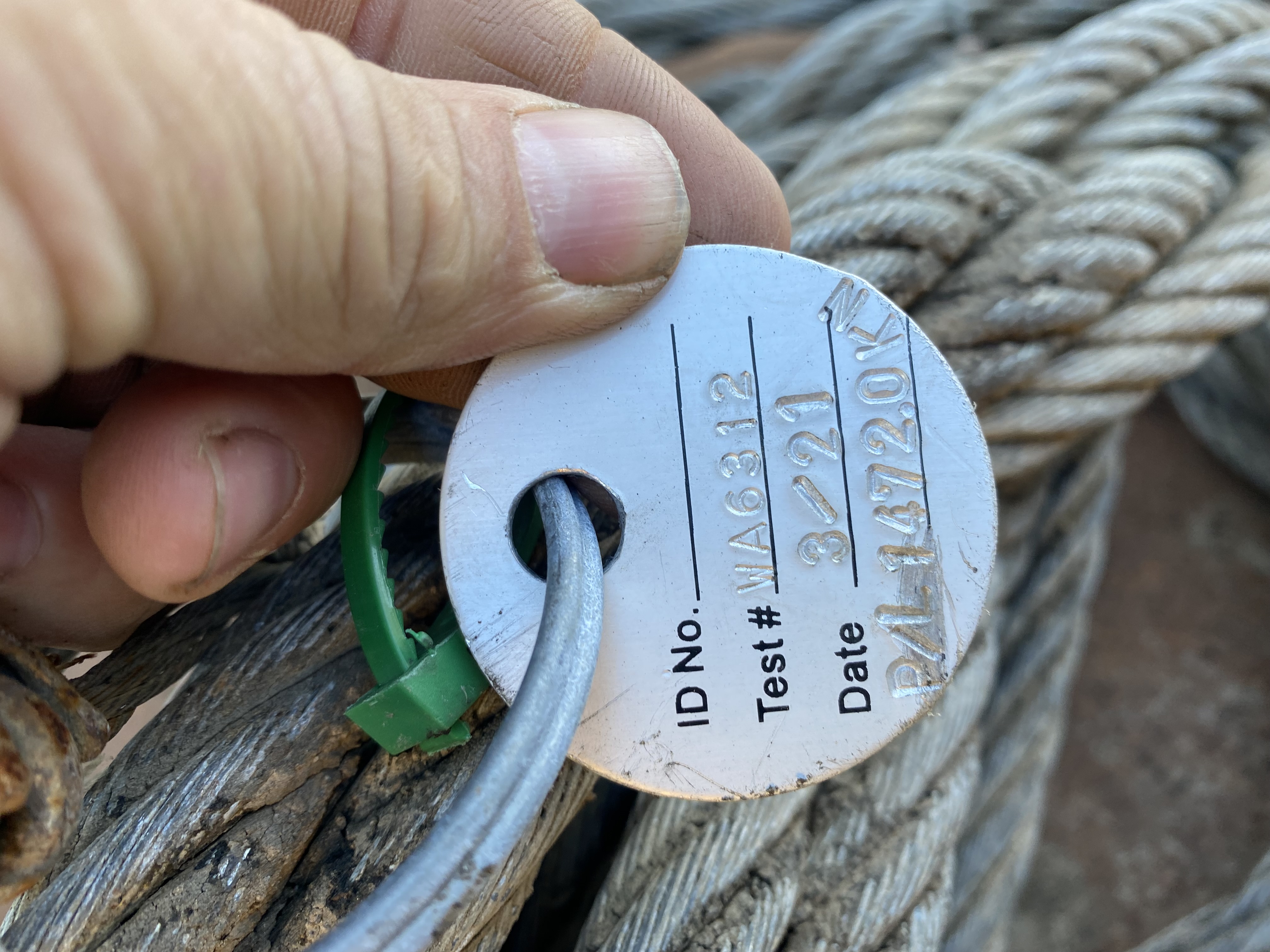
Close-up field inspection photo of a tag and wire rope
Close inspection evidence
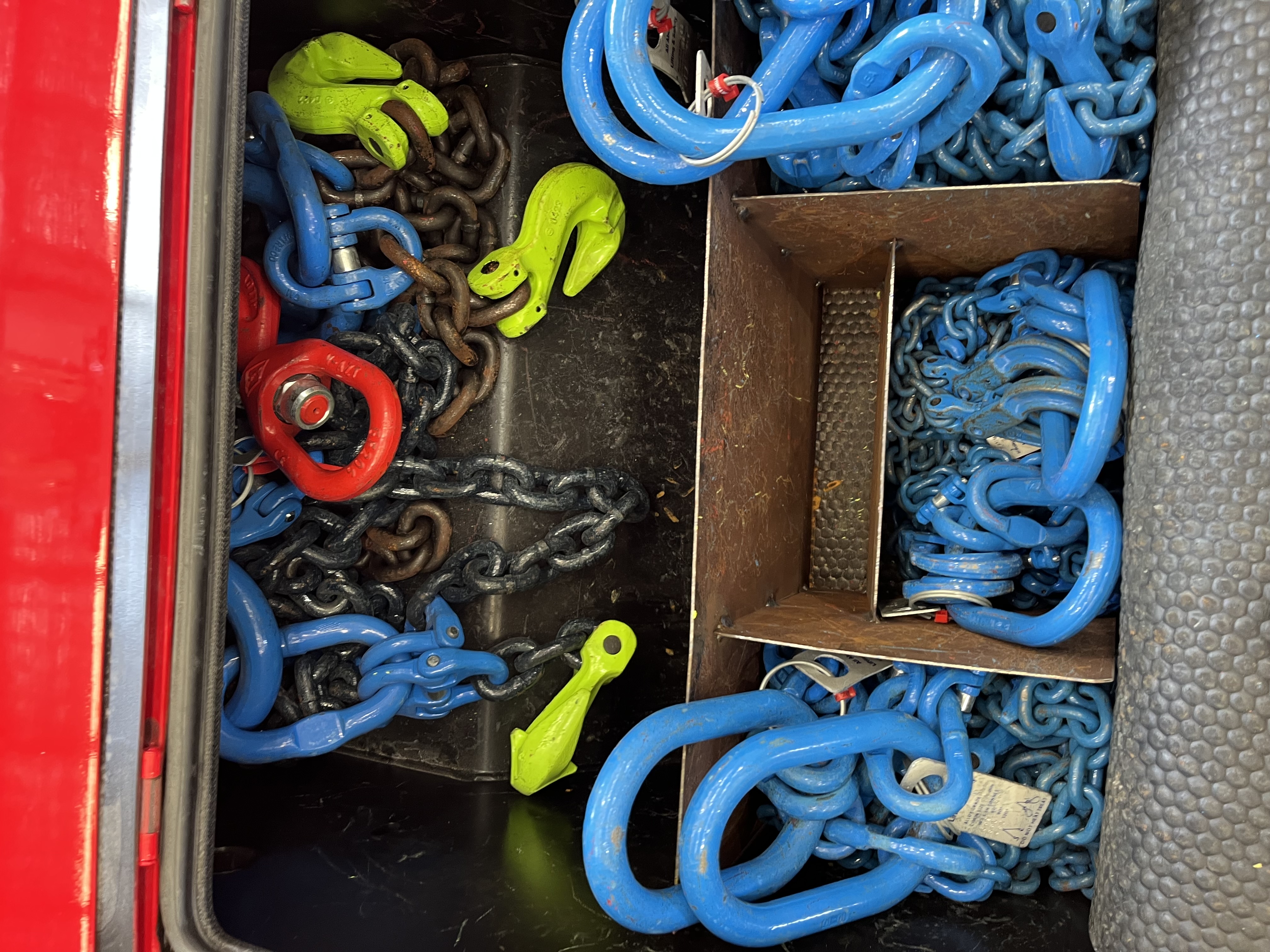
Rigging box containing chains, shackles and lifting hooks
Rigging gear record
VisualQuip crane planner screenshot showing a mobile crane boom angle and radius labels
Planner radius view

The platform idea

One VisualQuip brand. Focused modules that do not blur responsibility.

VisualQuip brings field records, crane planning visuals, equipment information and review workflows into one professional platform for company-managed teams. It is designed to be practical on site, presentable to clients and clear about responsibility in serious lifting environments.

Premium add-on

AR Site Review

Bring selected planning scenarios onto site through augmented reality to improve discussion around space, access, obstruction and client understanding.

  • Premium review layer for planner users
  • Useful for walk-throughs and presentations
  • Clearly scoped as a visual planning aid
Asset intelligence

Equipment Register

A structured home for cranes, rigging assets, attachments, models, photos, documents and configuration notes that feed the visual workflows.

  • Asset records with searchable metadata
  • Photos, docs and model placeholders
  • Foundation for libraries and inspections
Model library

Crane Asset Library

A managed collection of crane visuals, configuration notes and review status that helps teams present equipment clearly and consistently.

  • Curated crane and equipment visuals
  • Review status and configuration notes
  • Planner-ready assets for site communication
Separate workflow

Inspections & Compliance

Inspection records, evidence capture, checklists and asset condition history remain their own accountable workflow, not hidden inside planning graphics.

  • Inspection forms and evidence trail
  • Asset history and follow-up actions
  • Separation from concept planning

Crane Planner

A visual planning workspace built for real site conversations.

Crane Planner helps teams communicate the practical details that matter: where the crane sits, what it can reach, what may obstruct the lift path, where exclusion zones belong, and what requires formal verification before execution.

PlaceDrop a crane into a site view and mark access, pads, obstructions and laydown areas.
ReviewWalk through boom orientation, radius zones, load path concepts and visual constraints.
PackageExport labelled views and notes for client conversations or internal review packs.
Planner viewportProduct capture
VisualQuip planner screenshot showing a yellow luffing crane model with hook block and hoist ropes in a dark 3D workspace
Lift notesDraft

Ground bearing, crane chart selection, rigging configuration, wind limits and approval pathways remain subject to formal project verification.

Crane Pipeline Builder

The model-building workshop behind VisualQuip’s crane model library.

VisualQuip’s crane model library is developed through a structured asset workflow, turning managed references, review notes and export checks into reusable visual assets for planning and site communication.

01

Curated crane library

Organise model references, asset notes, configuration requirements and review status so the crane library can grow in a controlled, repeatable way.

02

Pipeline Builder

Structure the crane asset inventory: model categories, key metadata, visual states, export readiness and what still needs manual verification.

03

Asset workshop

Review crane visuals, refine model presentation, check important geometry, clean delivery files and prepare GLB/USDZ outputs for controlled product use.

04

Planner + AR delivery

Ship verified assets into VisualQuip Crane Planner and optional AR review, clearly labelled as visual planning aids unless separately certified.

Practical scope:

The crane model library is managed as a controlled asset inventory, not a collection of unverified generic models. Each asset carries readiness status, review notes and usage boundaries so teams can see whether it is ready for planner use or still under review.

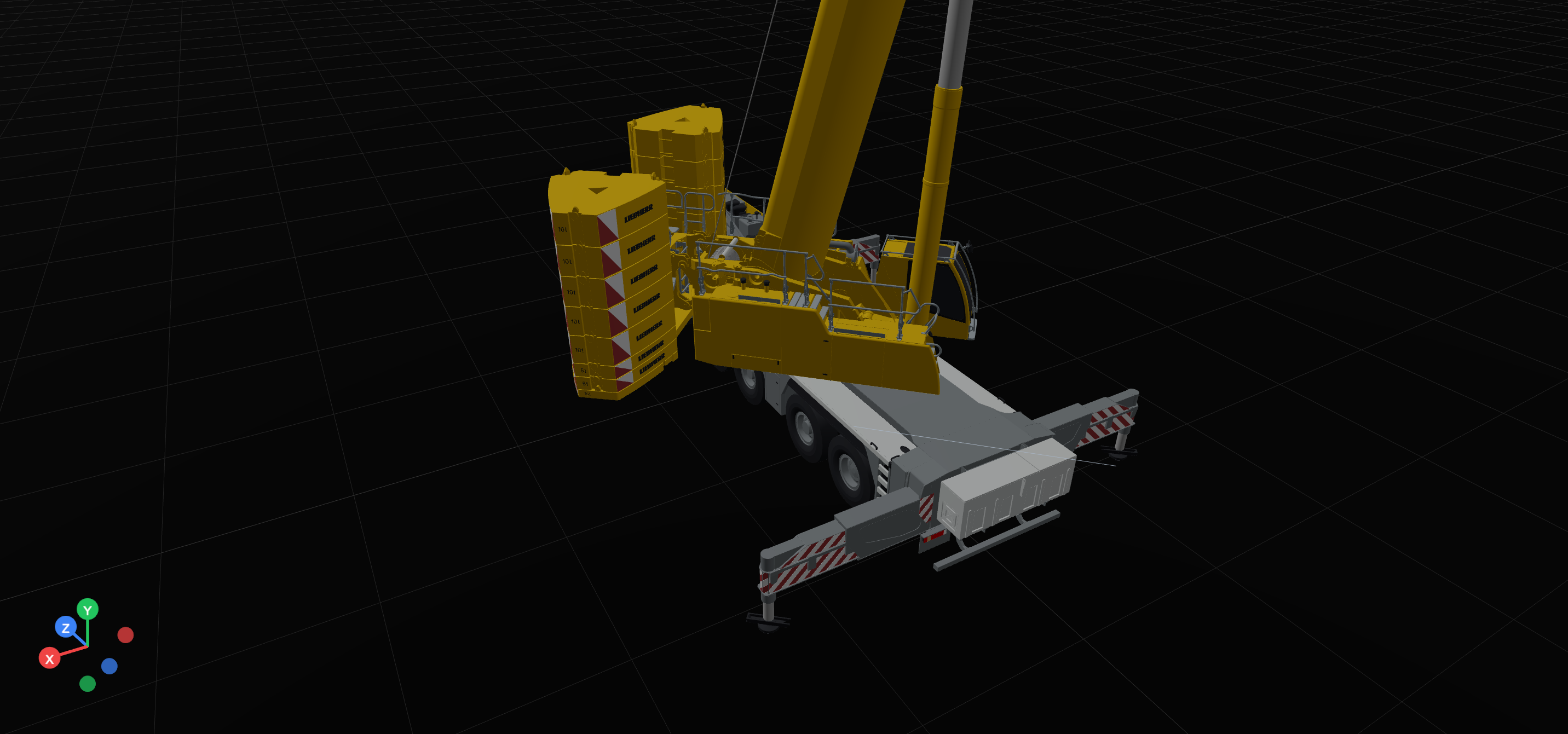
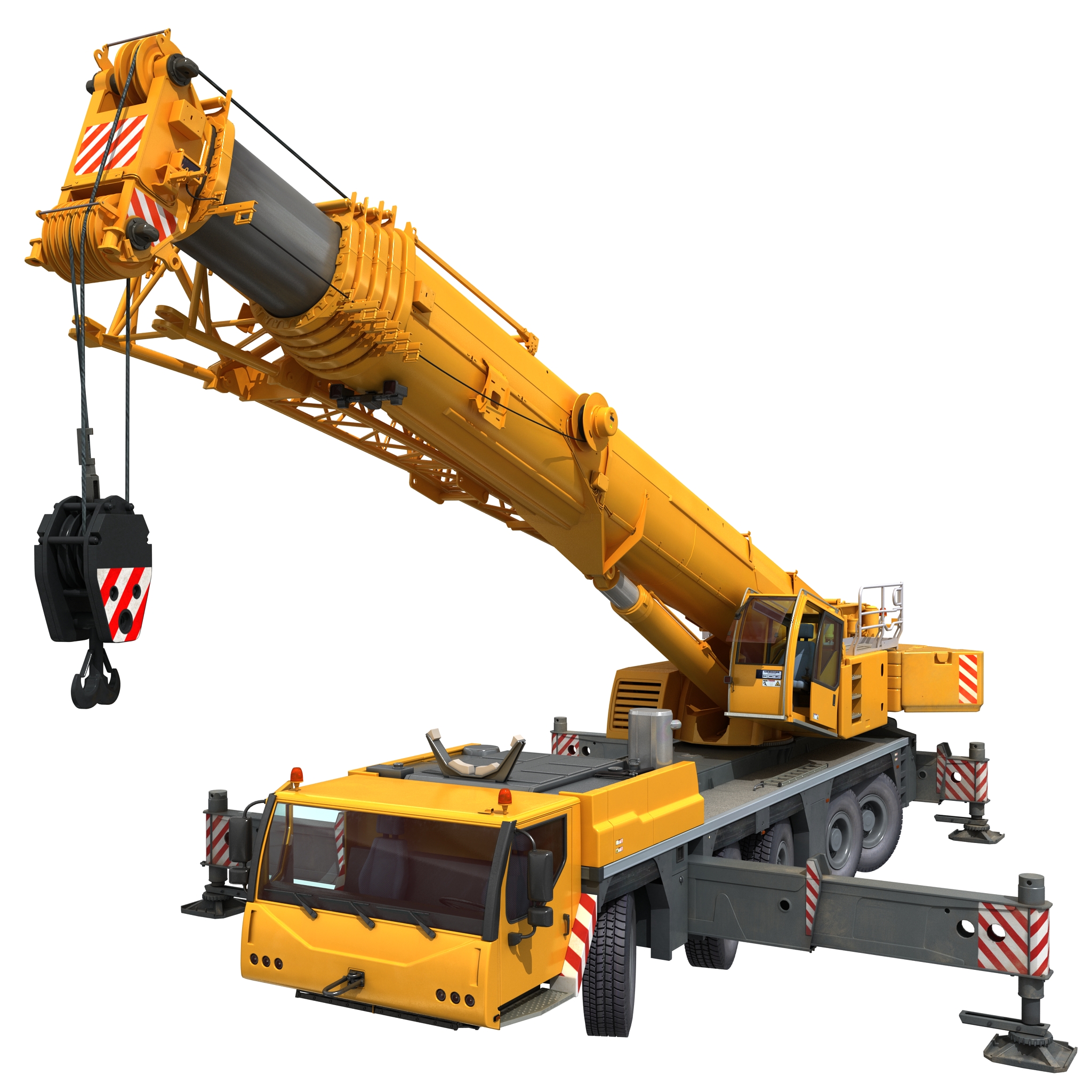
Rendered yellow Liebherr mobile crane with boom raised, outriggers deployed and hook block visible
Rigged crane assetFull model render used to communicate the target quality for reusable planner assets.
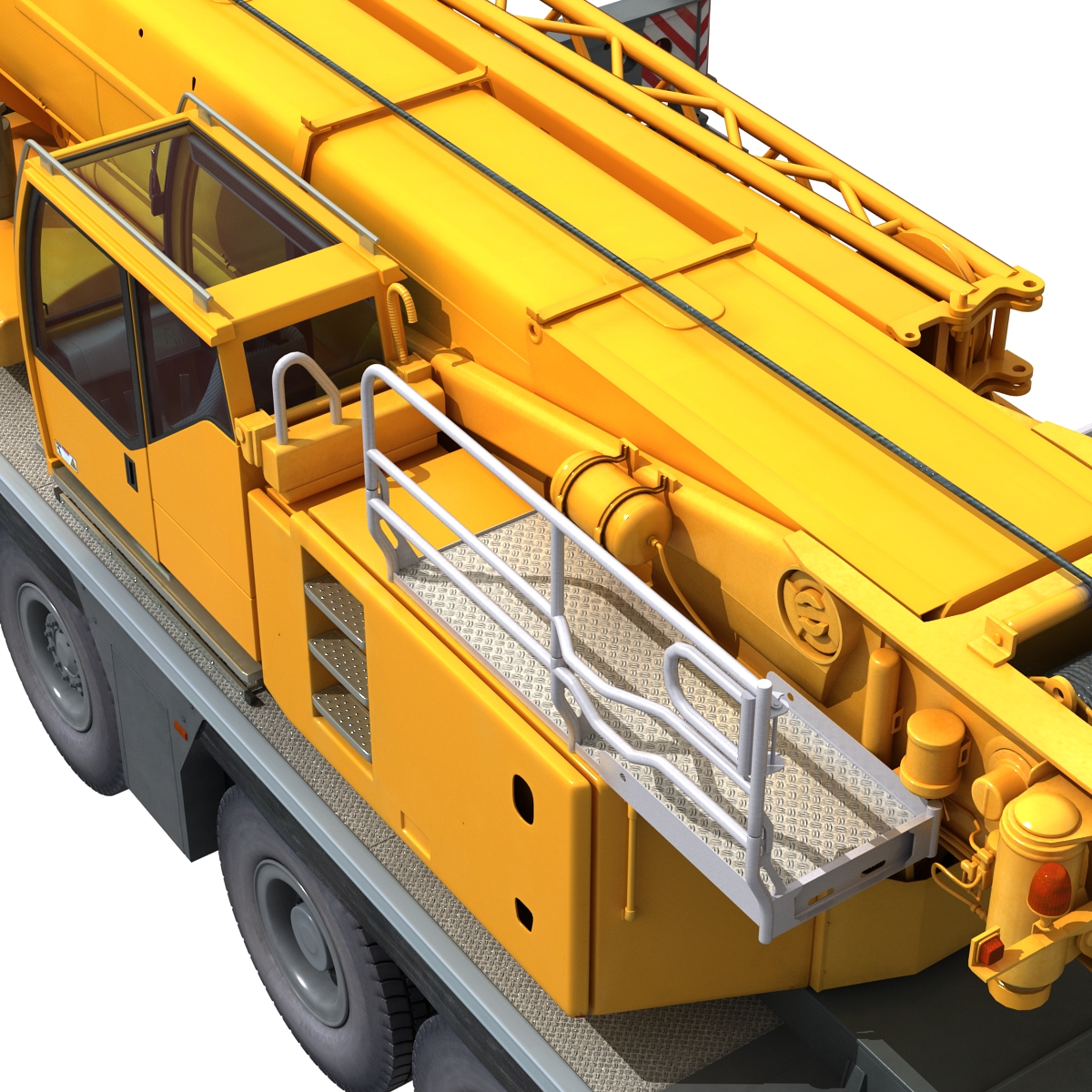
Close render of Liebherr crane deck, cab, boom base and handrails
Deck detailUseful fidelity for asset review, annotations and model-library confidence.
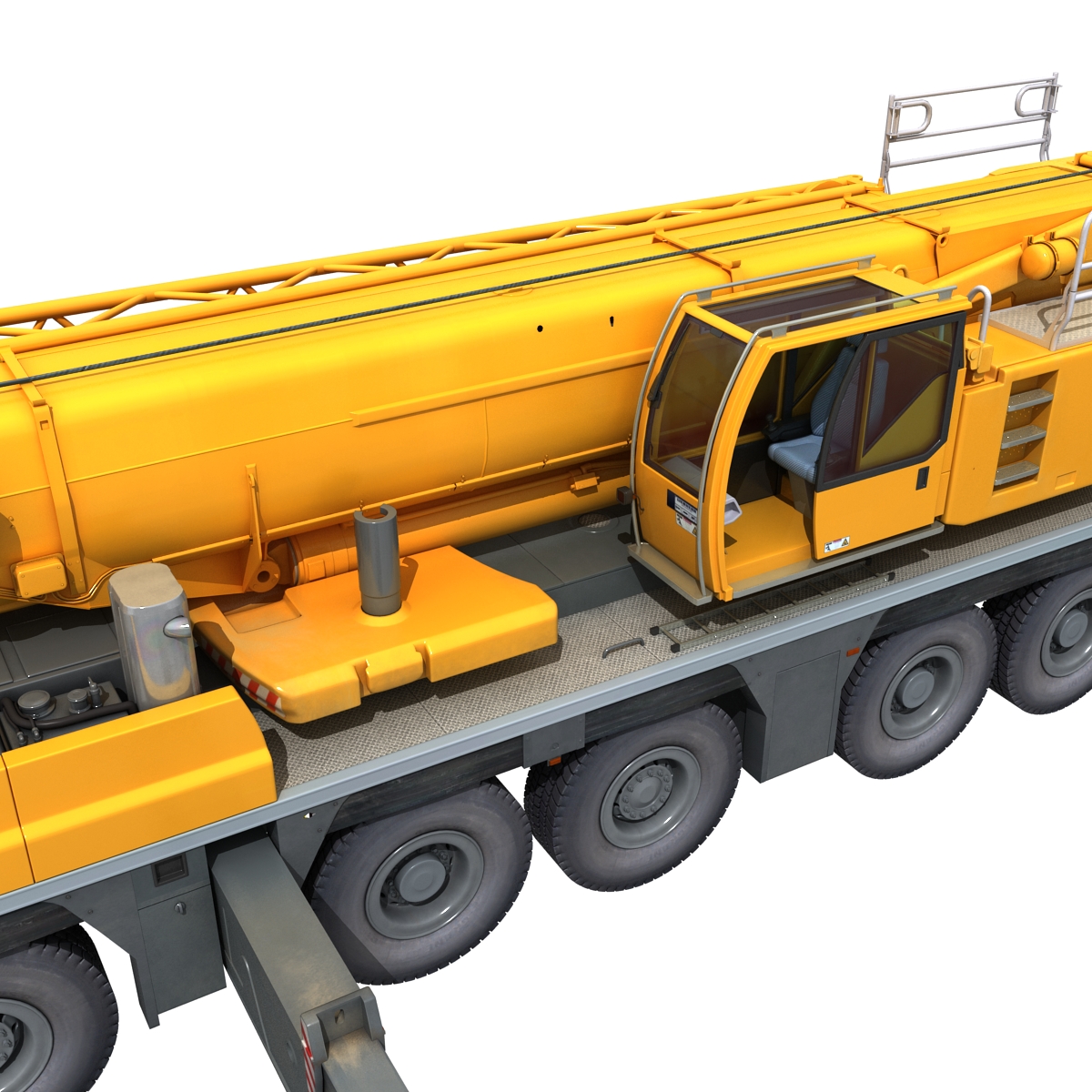
Close render of Liebherr crane cab, boom side, counterweight area and carrier wheels
Cab and carrier detailModel views help bridge asset review work into VisualQuip presentation packs.

AR add-on

Premium augmented reality for clearer site review.

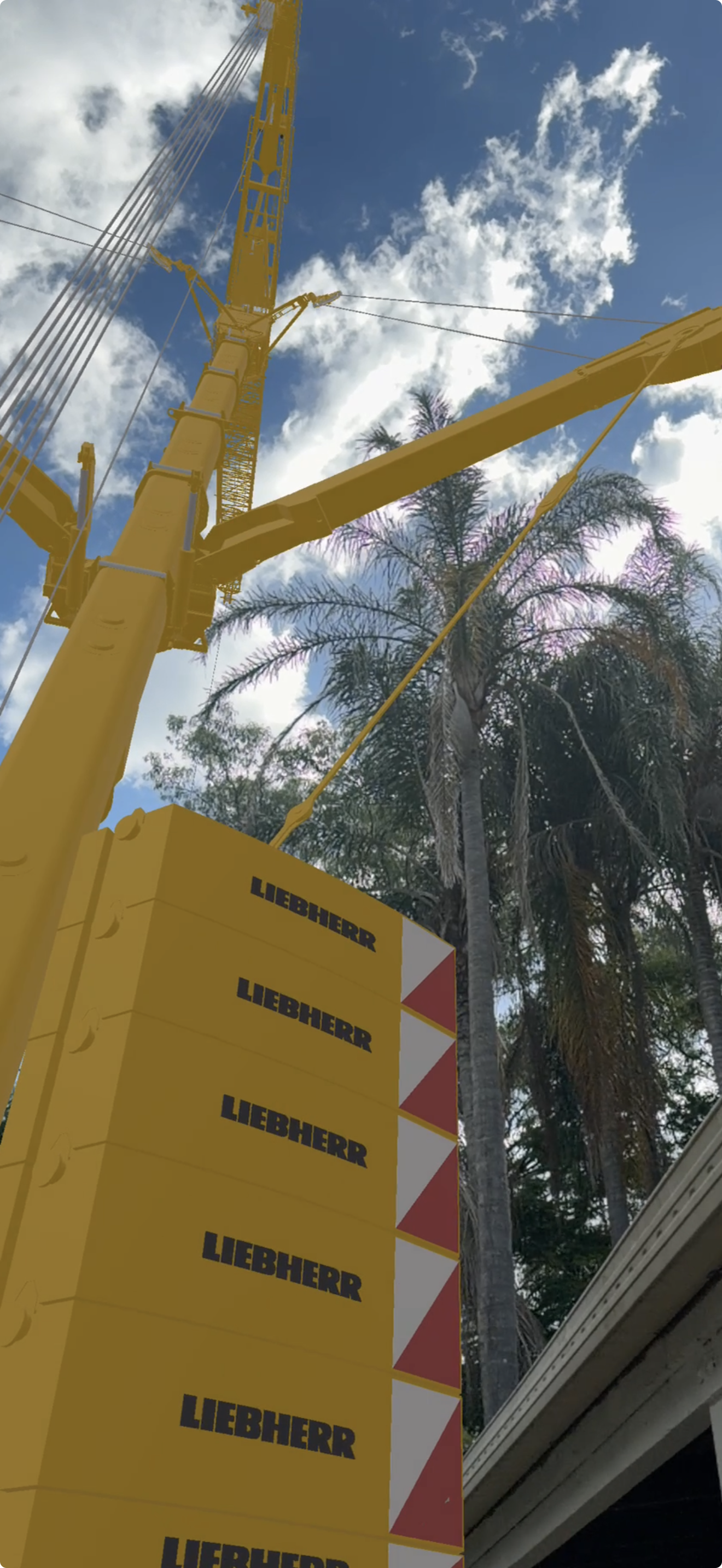
AR helps teams and clients understand scale, space and site context before final documents are approved. VisualQuip uses AR as a communication layer; it does not certify load capacity, ground conditions or rigging method.

AR field capturePremium review layer for site communication — final lift approval remains with competent people and certified data.
01

Walk the site

Overlay a selected crane concept into the work area for conversations around access, space and obstruction risk.

02

Align the team

Give clients, supervisors and crews a shared visual reference before final engineered documents are approved.

03

Upgrade deliberately

Position AR as a paid premium review feature for teams who will genuinely use it.

Inspections + register

Evidence, assets and follow-up in the same visual family.

VisualQuip Inspections supports checklists, photos, condition notes, asset status and corrective actions as a dedicated operational workflow, kept separate from planning approvals.

AssetStatusEvidence
Crane modelLibrary ready3D record
Rigging set AReview duePhotos + checklist
Hook blockRecordedSerial + docs
Site inspectionIn progressOpen actions
Close-up field evidence photo of a crane or rigging tag against wire rope
Real field evidence image for the register — useful as a record, not a substitute for certified inspection approval.

Founder/operator credibility

Built from practical lifting knowledge and modern visual technology.

VisualQuip bridges practical crane and rigging knowledge with modern visual technology. It is shaped by the realities of site planning, asset control and field communication — where clear visuals, clean records and honest boundaries help teams work with greater confidence.

Practical site languageVisual proof over vague claimsClear safety boundariesModular path to revenue

Safety truth

Exciting visuals. Conservative claims. That is the right way.

VisualQuip planning, AR and visualization outputs are communication and preparation aids unless a specific workflow is separately verified, approved and documented by competent people.

Crane selection, lifting capacity, WLL decisions, rigging methods, ground conditions, engineered lifts, statutory compliance and final site approvals must rely on certified data, manufacturer information, applicable standards and authorized personnel.

This protects teams, customers and the brand. Visual outputs must support better decisions without becoming misleading safety claims.

Commercial direction

Premium enough to matter. Modular enough to sell.

VisualQuip is organised around clear operational needs: planning, AR review, inspections and asset records. Commercial packages remain simple, modular and aligned with how crane and equipment teams actually buy software.

Starter

Planner Review

For teams who need sharper visual planning packs and client-facing concept reviews.

Premium

Planner + AR

For teams that want the cinematic on-site walkthrough layer and a stronger demo experience.

Operations

Inspections + Register

For asset-heavy teams needing structured records, evidence and follow-up workflows.

Get started

Bring VisualQuip into your crane and equipment workflow.

For support, product enquiries or app review information, contact VisualQuip and include the company or workspace context relevant to the request.