Built where steel, radius and site pressure meet

Every crane, every sling, every inspection — in one system.

VisualQuip runs your crane and rigging operation: equipment registers, quarterly and annual inspections, sign-outs with photo evidence, and visual planning tools — a web portal for the office and an iPhone app for the field. Built by a crane operator, priced for crane companies.

No card required · Set up in minutes · Cancel anytime

01Site-true visualsCrane position, radius, obstructions, access and exclusion zones in one reviewable scene.
02Modular platformPlanner, AR, equipment library and inspections stay clear, sellable and accountable.
03Operator-mindedDesigned around real conversations between planners, operators, supervisors and asset teams.
Crane PlannerPipeline BuilderAsset WorkshopCrane Model Library3D Equipment LibraryAR ReviewInspection EvidenceAsset RegisterVisual Method PacksSafety BoundariesOperator Credibility

Operator-grade evidence

Built around the work teams actually do.

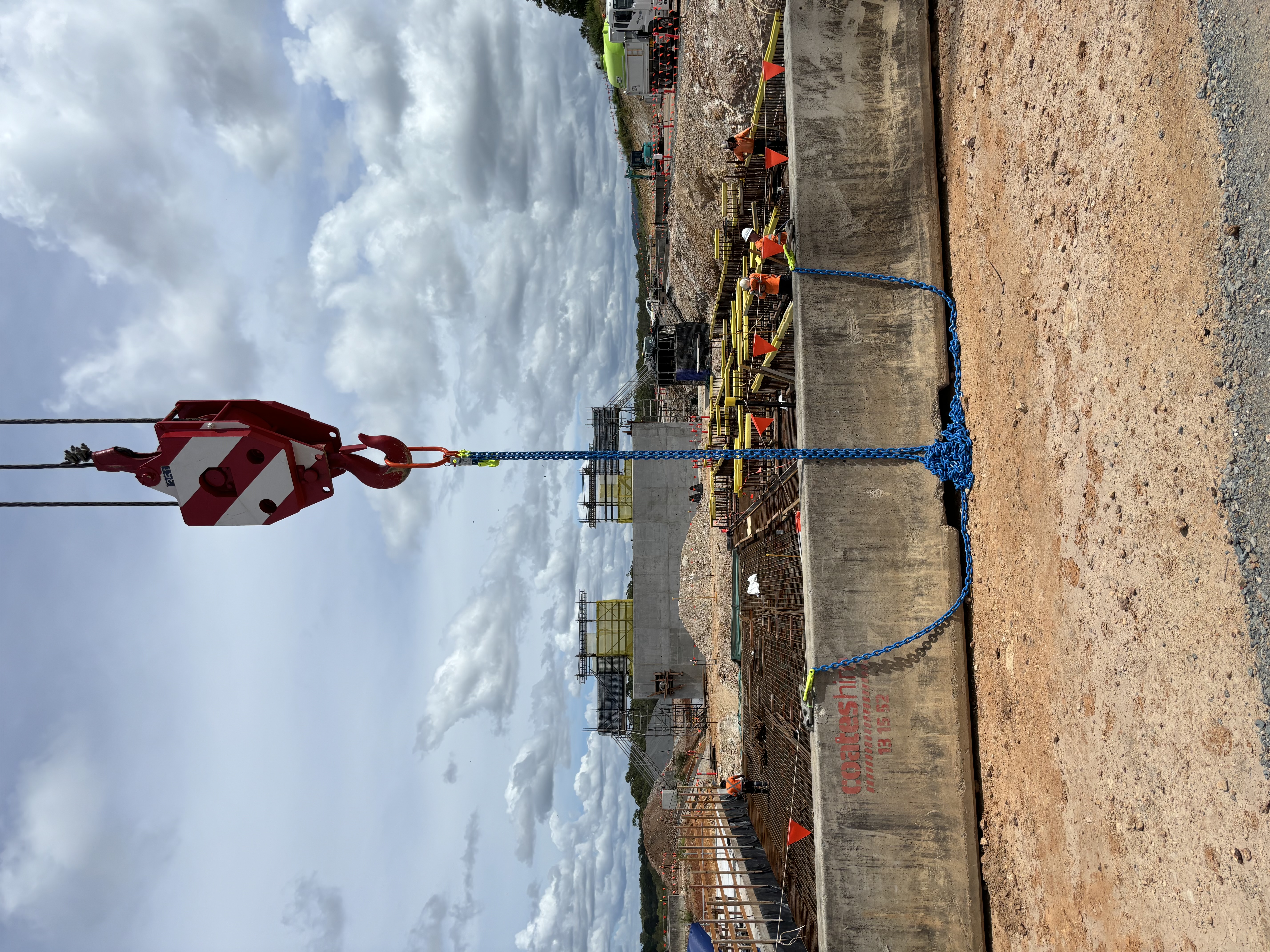
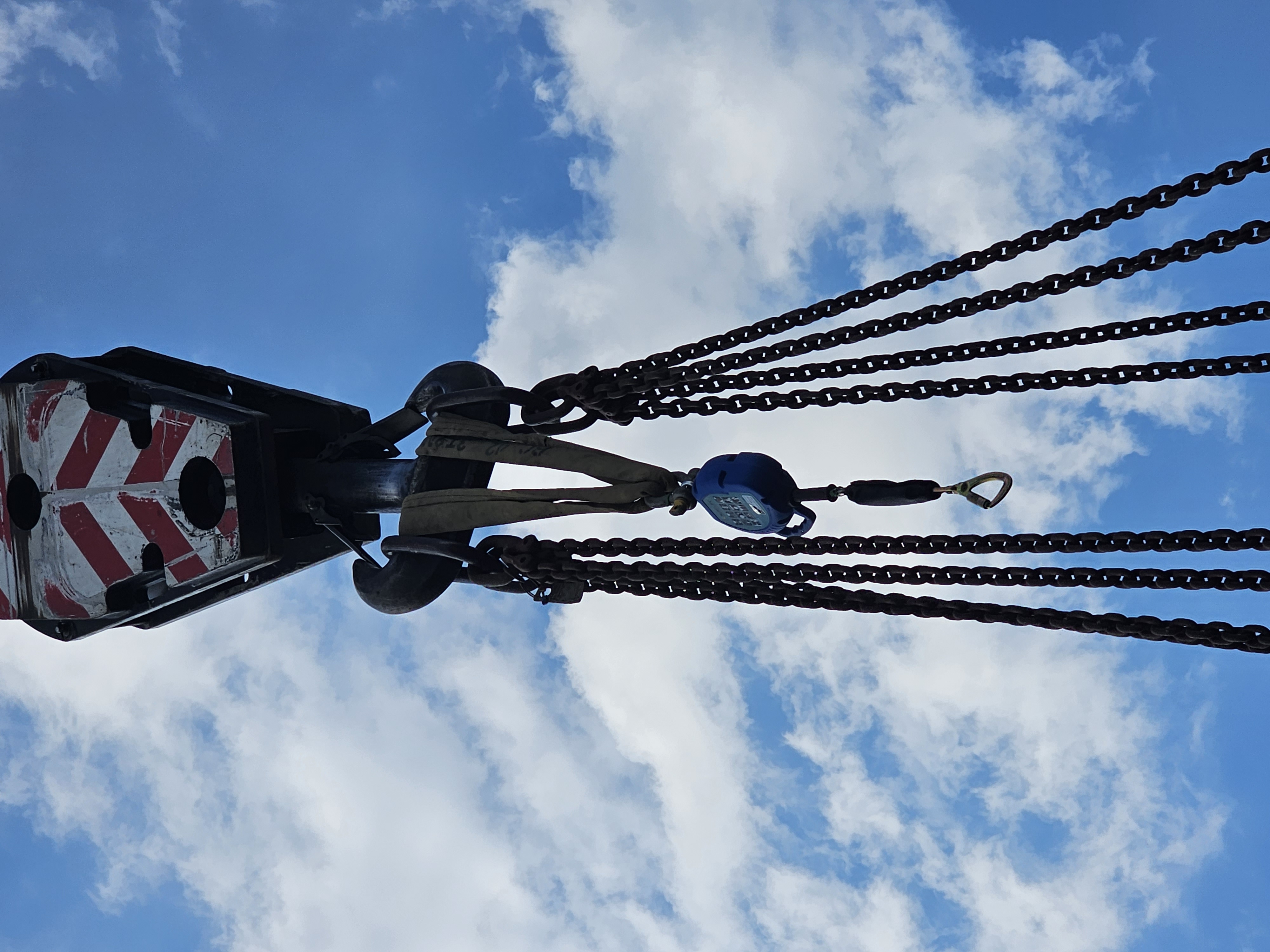
VisualQuip is grounded in practical lifting environments: hook blocks, chains, shackles, site conditions and crane model viewports. The result is a product story based on recognisable site context, not generic marketing imagery.

Construction site lift area with hook block, chains and formwork visible
Site lift context
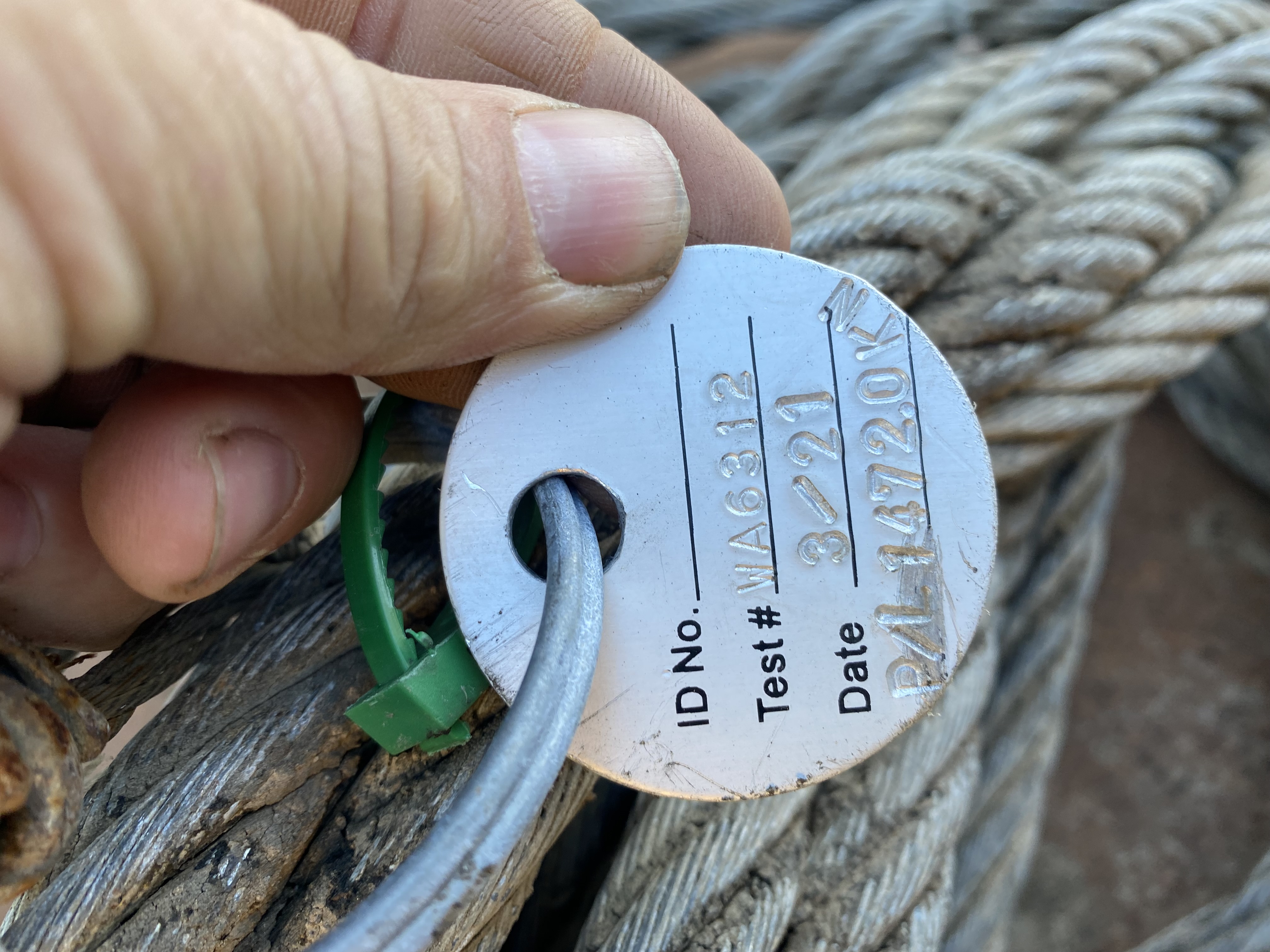
Close-up field inspection photo of a tag and wire rope
Close inspection evidence
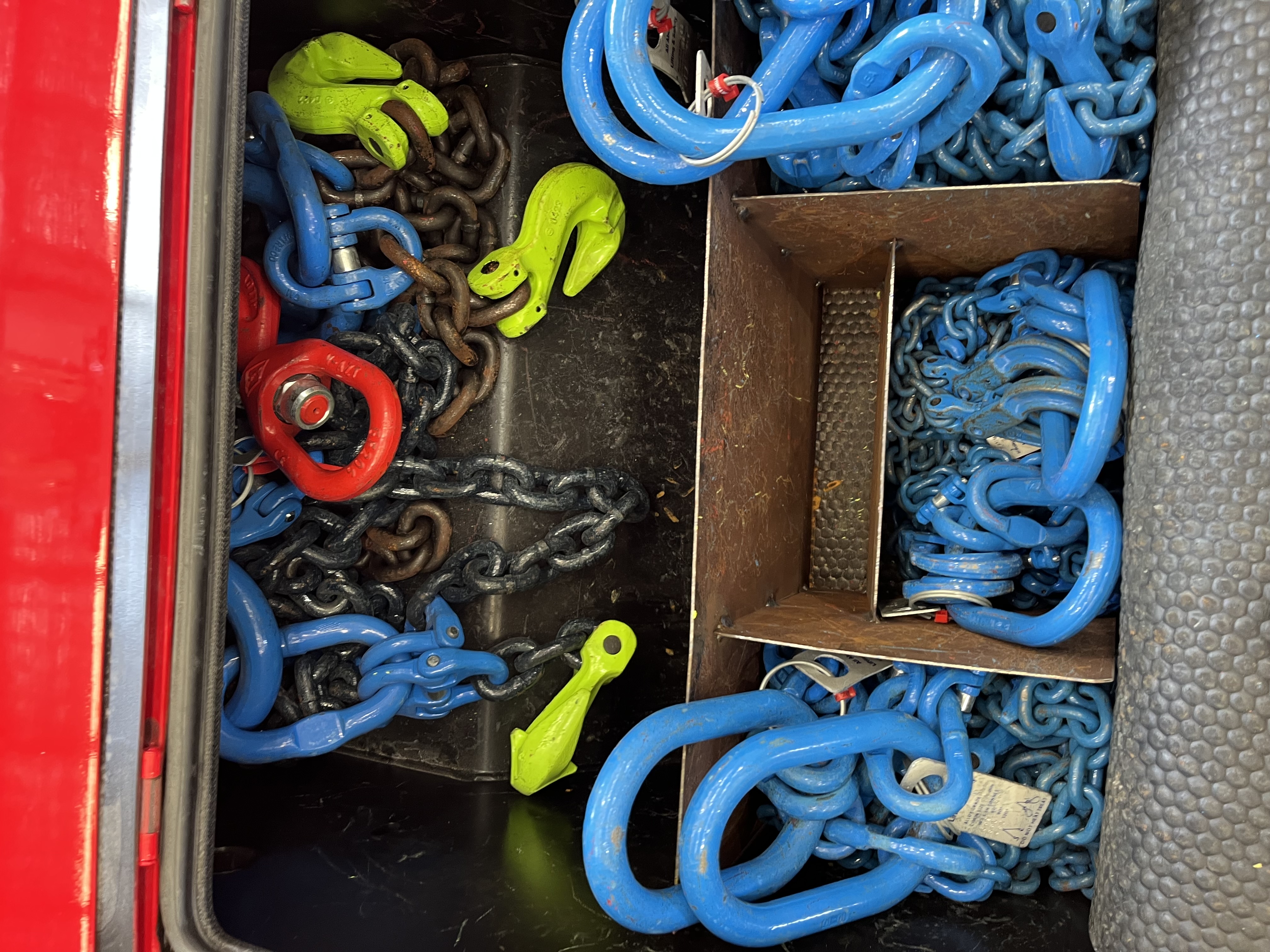
Rigging box containing chains, shackles and lifting hooks
Rigging gear record
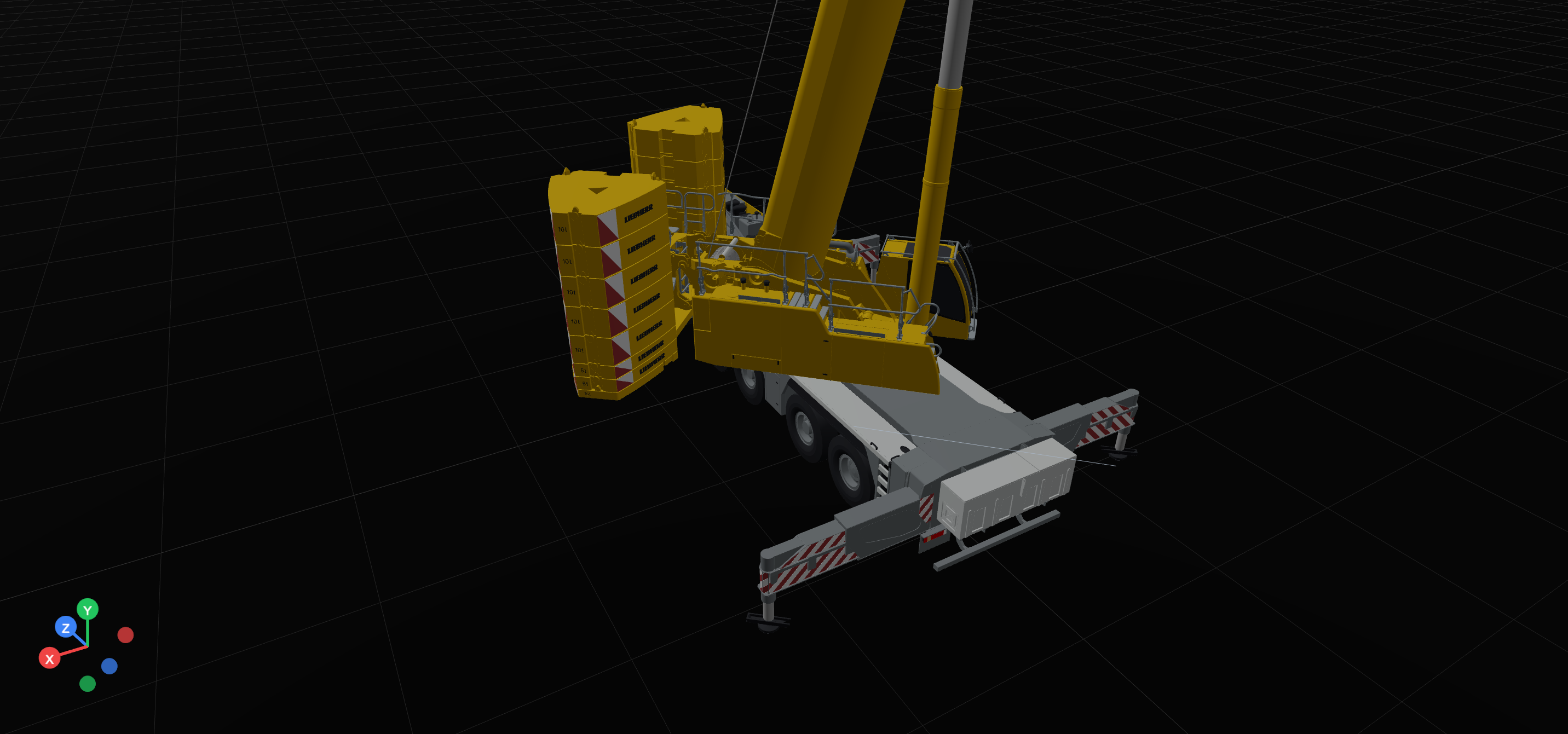
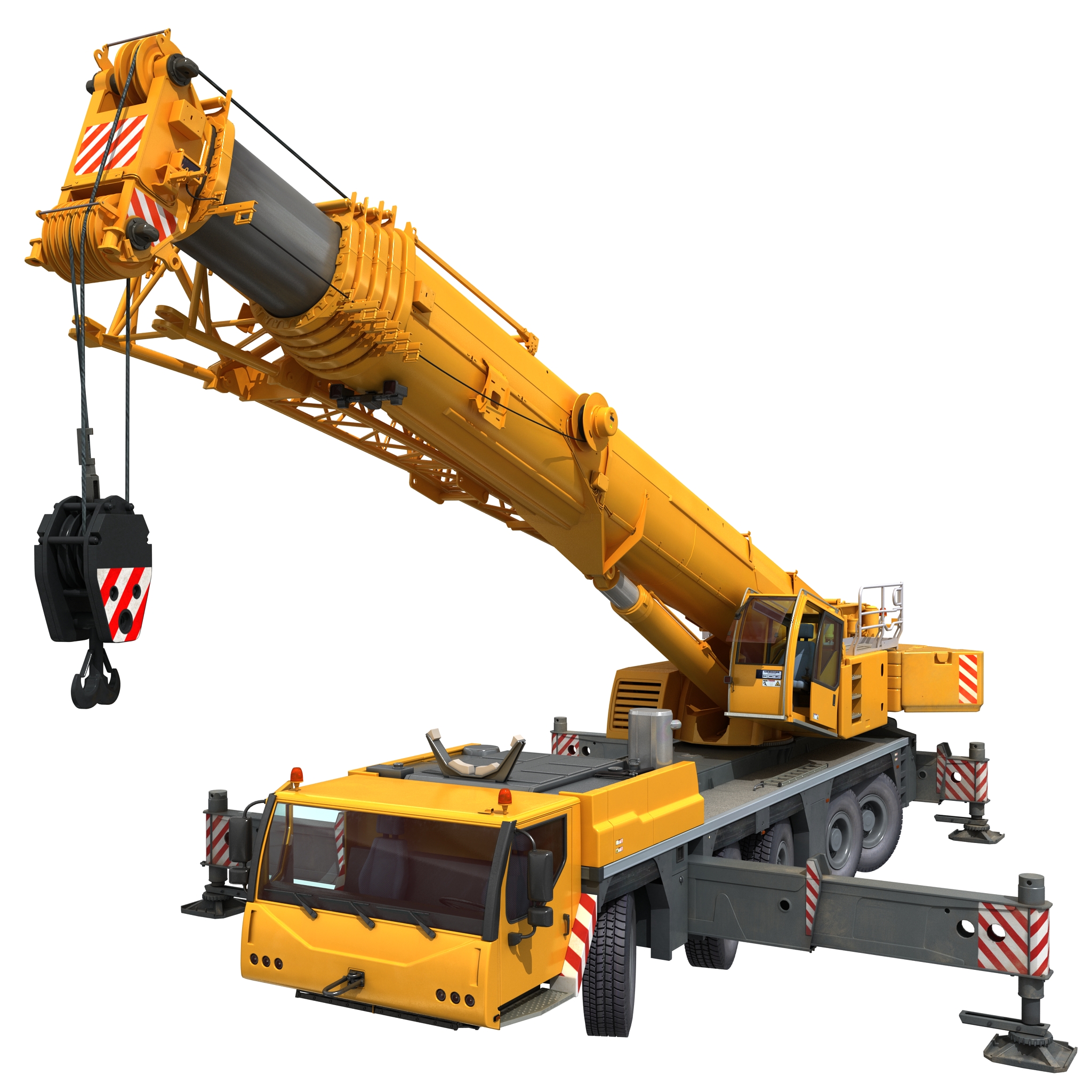
VisualQuip crane planner screenshot showing a mobile crane boom angle and radius labels
Planner radius view

The platform idea

One VisualQuip brand. Focused modules that do not blur responsibility.

VisualQuip brings field records, crane planning visuals, equipment information and review workflows into one professional platform for company-managed teams. It is designed to be practical on site, presentable to clients and clear about responsibility in serious lifting environments.

Premium add-on

AR Site Review

Bring selected planning scenarios onto site through augmented reality to improve discussion around space, access, obstruction and client understanding.

  • Premium review layer for planner users
  • Useful for walk-throughs and presentations
  • Clearly scoped as a visual planning aid
Asset intelligence

Equipment Register

A structured home for cranes, rigging assets, attachments, models, photos, documents and configuration notes that feed the visual workflows.

  • Asset records with searchable metadata
  • Photos, docs and model placeholders
  • Foundation for libraries and inspections
Model library

Crane Asset Library

A managed collection of crane visuals, configuration notes and review status that helps teams present equipment clearly and consistently.

  • Curated crane and equipment visuals
  • Review status and configuration notes
  • Planner-ready assets for site communication
Separate workflow

VisualQuip Inspection

A separate company-managed mobile product for inspection records, evidence capture, field drafts, checklists and asset condition history.

  • Inspection forms and evidence trail
  • Asset history and follow-up actions
  • Separation from concept planning
Explore VisualQuip Inspection →

Crane Planner

A visual planning workspace built for real site conversations.

Crane Planner helps teams communicate the practical details that matter: where the crane sits, what it can reach, what may obstruct the lift path, where exclusion zones belong, and what requires formal verification before execution.

PlaceDrop a crane into a site view and mark access, pads, obstructions and laydown areas.
ReviewWalk through boom orientation, radius zones, load path concepts and visual constraints.
PackageExport labelled views and notes for client conversations or internal review packs.
Planner viewportProduct capture
VisualQuip planner screenshot showing a yellow luffing crane model with hook block and hoist ropes in a dark 3D workspace
Lift notesDraft

Ground bearing, crane chart selection, rigging configuration, wind limits and approval pathways remain subject to formal project verification.

Crane Pipeline Builder

The model-building workshop behind VisualQuip’s crane model library.

VisualQuip’s crane model library is developed through a structured asset workflow, turning managed references, review notes and export checks into reusable visual assets for planning and site communication.

01

Curated crane library

Organise model references, asset notes, configuration requirements and review status so the crane library can grow in a controlled, repeatable way.

02

Pipeline Builder

Structure the crane asset inventory: model categories, key metadata, visual states, export readiness and what still needs manual verification.

03

Asset workshop

Review crane visuals, refine model presentation, check important geometry, clean delivery files and prepare GLB/USDZ outputs for controlled product use.

04

Planner + AR delivery

Ship verified assets into VisualQuip Crane Planner and optional AR review, clearly labelled as visual planning aids unless separately certified.

Practical scope:

The crane model library is managed as a controlled asset inventory, not a collection of unverified generic models. Each asset carries readiness status, review notes and usage boundaries so teams can see whether it is ready for planner use or still under review.

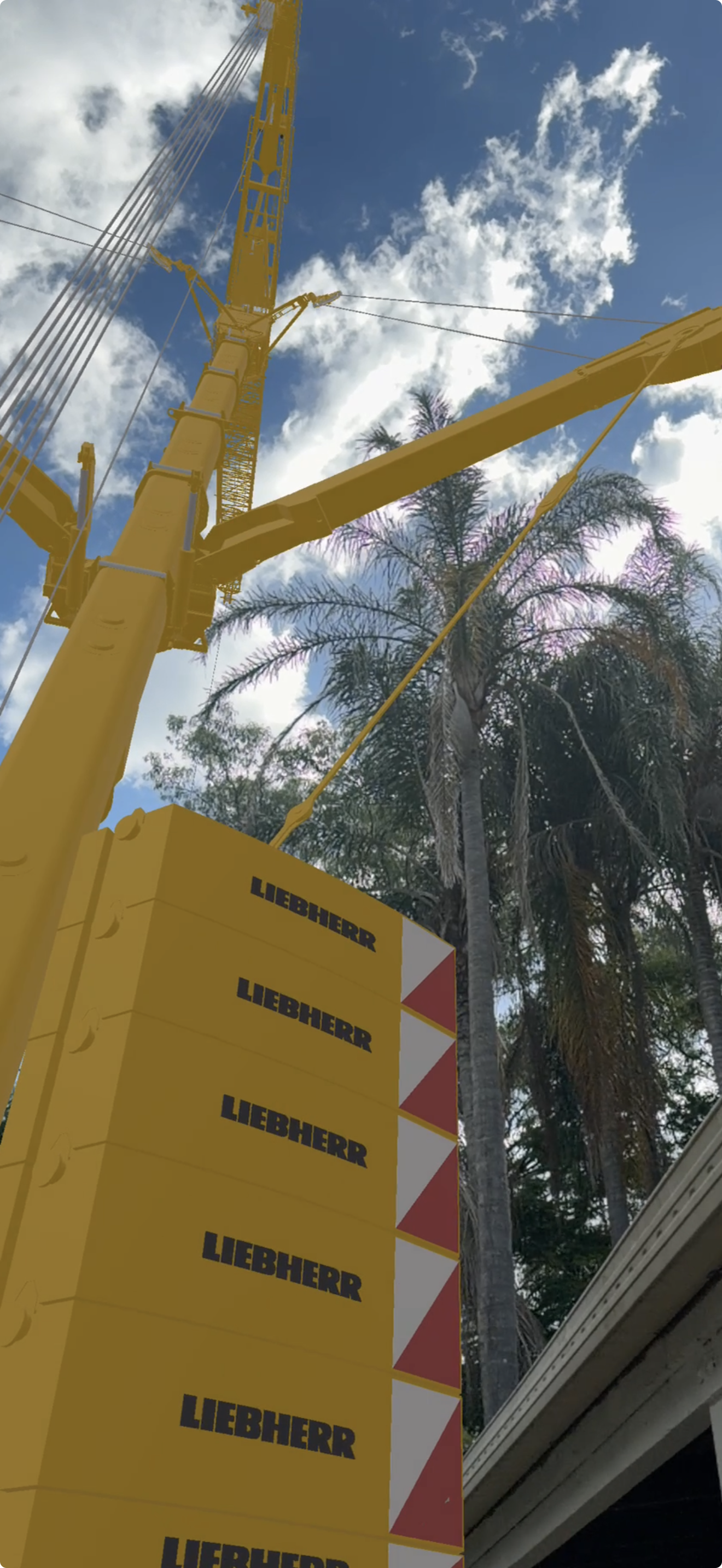
Rendered yellow Liebherr mobile crane with boom raised, outriggers deployed and hook block visible
Rigged crane assetFull model render used to communicate the target quality for reusable planner assets.
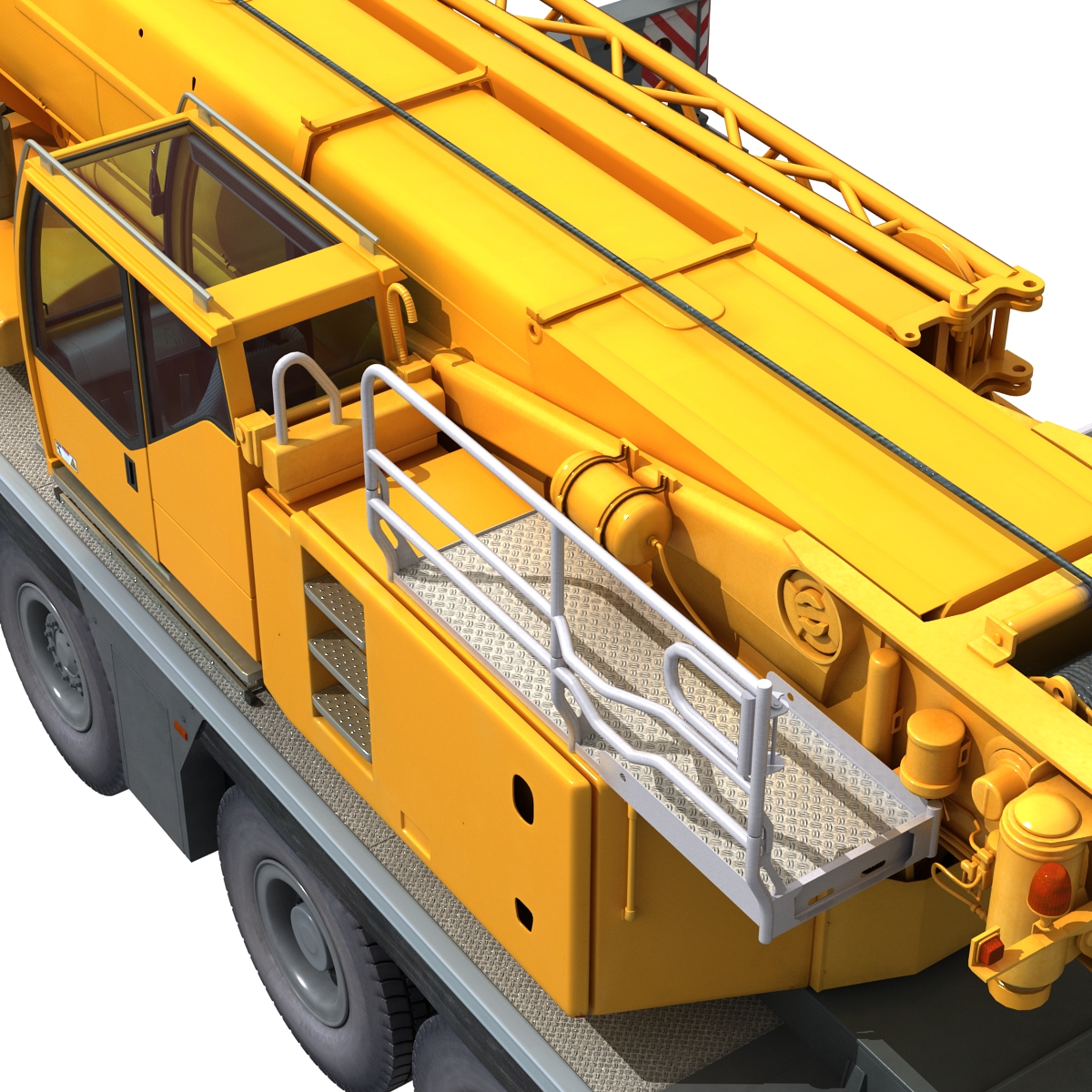
Close render of Liebherr crane deck, cab, boom base and handrails
Deck detailUseful fidelity for asset review, annotations and model-library confidence.
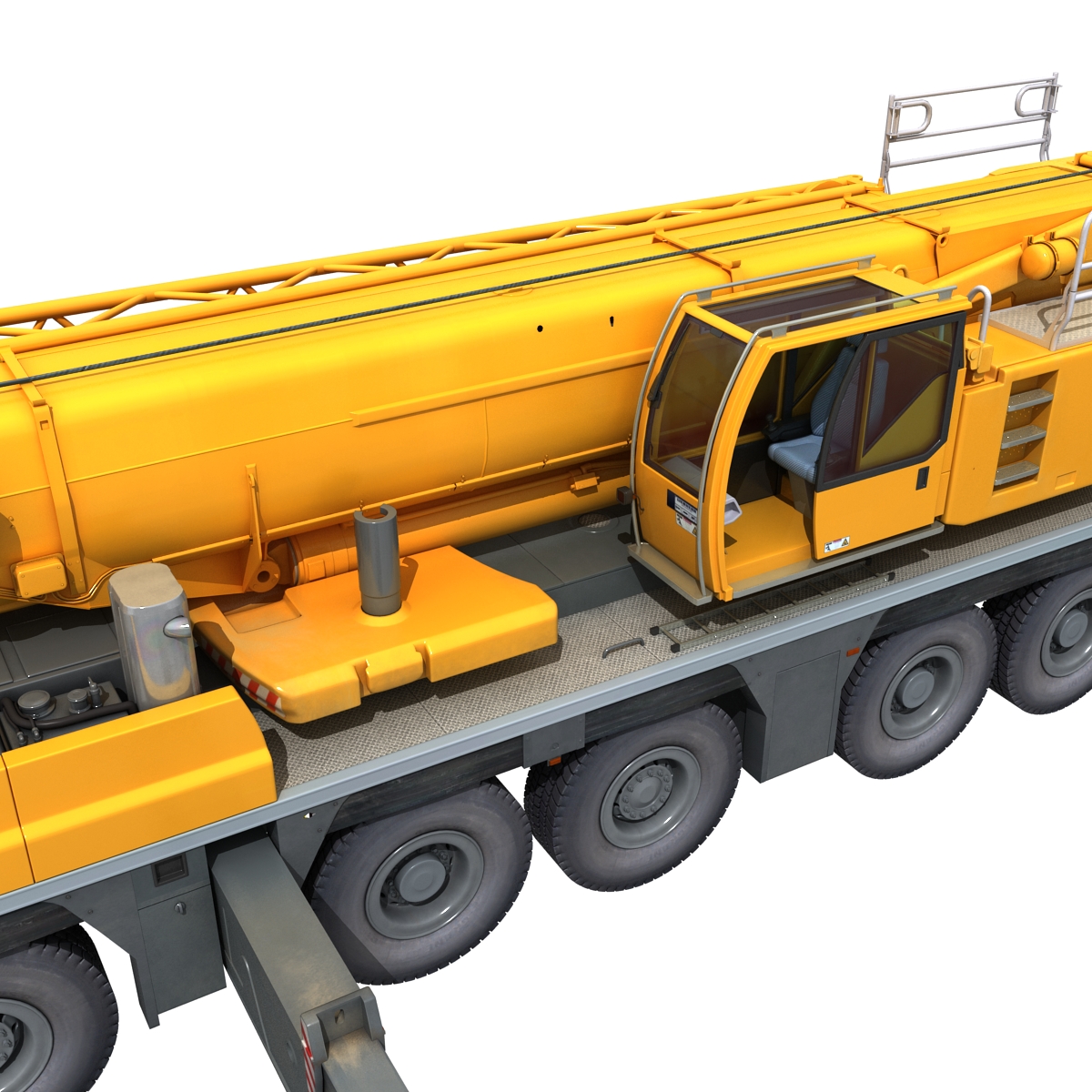
Close render of Liebherr crane cab, boom side, counterweight area and carrier wheels
Cab and carrier detailModel views help bridge asset review work into VisualQuip presentation packs.

AR add-on

Premium augmented reality for clearer site review.

AR helps teams and clients understand scale, space and site context before final documents are approved. VisualQuip uses AR as a communication layer; it does not certify load capacity, ground conditions or rigging method.

AR field capturePremium review layer for site communication — final lift approval remains with competent people and certified data.
01

Walk the site

Overlay a selected crane concept into the work area for conversations around access, space and obstruction risk.

02

Align the team

Give clients, supervisors and crews a shared visual reference before final engineered documents are approved.

03

Upgrade deliberately

Position AR as a paid premium review feature for teams who will genuinely use it.

Inspections + register

VisualQuip Inspection keeps evidence and follow-up connected.

VisualQuip Inspection supports checklists, photos, condition notes, recoverable field drafts and asset history as a dedicated product, kept separate from planning approvals.

View the Inspection product page →

AssetStatusEvidence
Crane modelLibrary ready3D record
Rigging set AReview duePhotos + checklist
Hook blockRecordedSerial + docs
Site inspectionIn progressOpen actions
Close-up field evidence photo of a crane or rigging tag against wire rope
Real field evidence image for the register — useful as a record, not a substitute for certified inspection approval.

Founder/operator credibility

Built from practical lifting knowledge and modern visual technology.

VisualQuip bridges practical crane and rigging knowledge with modern visual technology. It is shaped by the realities of site planning, asset control and field communication — where clear visuals, clean records and honest boundaries help teams work with greater confidence.

Practical site languageVisual proof over vague claimsClear safety boundariesModular path to revenue

Safety truth

Exciting visuals. Conservative claims. That is the right way.

VisualQuip planning, AR and visualization outputs are communication and preparation aids unless a specific workflow is separately verified, approved and documented by competent people.

Crane selection, lifting capacity, WLL decisions, rigging methods, ground conditions, engineered lifts, statutory compliance and final site approvals must rely on certified data, manufacturer information, applicable standards and authorized personnel.

This protects teams, customers and the brand. Visual outputs must support better decisions without becoming misleading safety claims.

Pricing

Simple plans that grow with your fleet.

Every plan includes the web portal, the iPhone field app, equipment registers, inspections and sign-outs. Start free, upgrade when your fleet does. Prices in AUD, GST included — billed securely through Stripe.

Free

$0/month

Try the full workflow with a small kit.

  • 2 users
  • 5 cranes / plant
  • 50 equipment items
Start free
Starter

$49/month

For small crews getting off paper.

  • 5 users
  • 15 cranes / plant
  • 250 equipment items
Start free trial
Professional

$149/month

For working fleets with compliance to prove.

  • 20 users
  • 50 cranes / plant
  • 1,000 equipment items
Start free trial
Enterprise

$499/month

For large operations and multi-branch teams.

  • Unlimited users
  • Unlimited cranes
  • Unlimited equipment
Start free trial

Yearly billing gets two months free. Every paid plan starts with a 14-day free trial — no card required.

Get started

Your fleet, your gear, your records — set up before smoko.

Create your company workspace, invite your team, and run your first inspection today. Questions first? We're a real crane company too — ask us anything.